

Logo Image
Background Shape
Background Shape

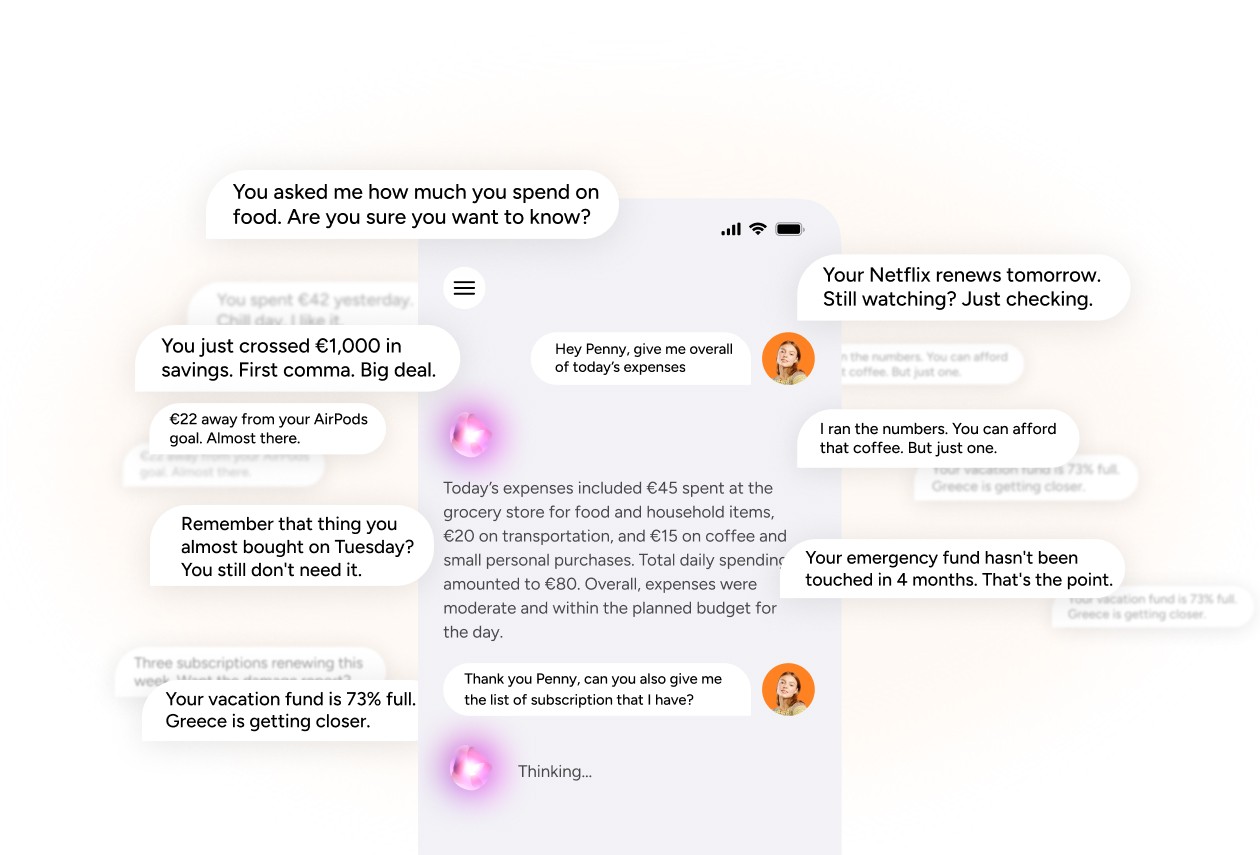
She already knows what you spent today.

Penny is your AI financial assistant — and she's been reading your transactions since you connected. Ask her anything. Or don't. She'll tell you anyway.
Hero Image

Not another chatbot.

A financial brain.

01

She opens with your day.

Every time you open Penny, she has a summary ready — what you spent, what's coming up, and anything that looks unusual. No prompting required.

02

She lives on every screen.

Penny isn't locked in a chat tab. She shows up on receipts, inside widgets, and anywhere a nudge could save you money. She goes where your spending goes.

03

She learns as you spend.

The more you use Kinta, the sharper Penny gets. She spots patterns, flags changes, and builds a picture of your financial life that gets more accurate every week.

Everything Penny can do.
And she's just getting started.

How much did I spend on groceries this month?

How much did I spend on groceries this month?

Ask Penny anything about your money and she answers in plain language — not charts, not tables, not financial jargon. How much you spent on restaurants last week. Whether you're on track for your savings goal. How this month compares to last month. She has your entire transaction history and she knows how to read it. The question you'd normally spend fifteen minutes digging through bank statements to answer? Penny handles it in two seconds.

Ask Penny anything about your money and she answers in plain language — not charts, not tables, not financial jargon. How much you spent on restaurants last week. Whether you're on track for your savings goal. How this month compares to last month. She has your entire transaction history and she knows how to read it. The question you'd normally spend fifteen minutes digging through bank statements to answer? Penny handles it in two seconds.

The daily briefing you didn't know you needed.

The daily briefing you didn't know you needed.

Open the Penny screen and she's already talking. Today's spending. Upcoming bills. That subscription renewing tomorrow. A heads-up that your restaurant budget is 80% gone and it's only the 19th. She doesn't wait for you to ask the right question — she surfaces what matters before you even think to look. It's like having a financially literate friend who checks your bank account every morning and texts you the highlights. Except she never forgets, never judges, and never gets tired of looking at your numbers.

Open the Penny screen and she's already talking. Today's spending. Upcoming bills. That subscription renewing tomorrow. A heads-up that your restaurant budget is 80% gone and it's only the 19th. She doesn't wait for you to ask the right question — she surfaces what matters before you even think to look. It's like having a financially literate friend who checks your bank account every morning and texts you the highlights. Except she never forgets, never judges, and never gets tired of looking at your numbers.

She nudges before you overspend. Not after.

She nudges before you overspend. Not after.

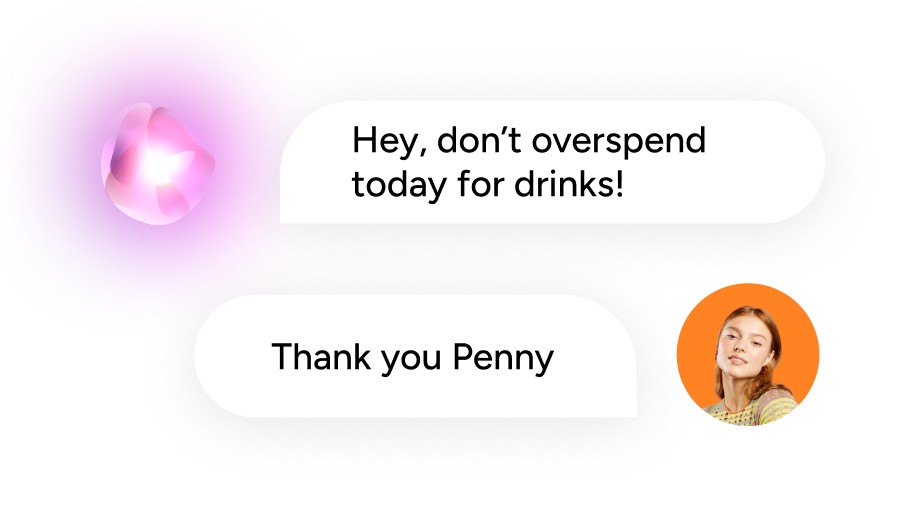
Most finance apps show you what went wrong yesterday. Penny tells you what's about to go wrong today. She sees that you've spent €45 on coffee and your limit is €50 — so she lets you know before you order the next one. She notices a subscription renewal hitting in two days and flags it in case you forgot. She catches that your daily budget dropped significantly because of a big purchase and recalibrates your outlook for the rest of the week. These aren't notifications you dismiss. They're the kind of nudges that actually change what you do next.

Most finance apps show you what went wrong yesterday. Penny tells you what's about to go wrong today. She sees that you've spent €45 on coffee and your limit is €50 — so she lets you know before you order the next one. She notices a subscription renewal hitting in two days and flags it in case you forgot. She catches that your daily budget dropped significantly because of a big purchase and recalibrates your outlook for the rest of the week. These aren't notifications you dismiss. They're the kind of nudges that actually change what you do next.

What Penny brings to every conversation.

Icon

Voice entry

Tell Penny what you spent — "€12 on lunch" — and she logs the transaction instantly. Hands-free, no typing, done.

Icon

Voice entry

Tell Penny what you spent — "€12 on lunch" — and she logs the transaction instantly. Hands-free, no typing, done.

Spending patterns

Penny detects trends you wouldn't notice yourself — like the fact that your weekend spending is 3x your weekday average.

Spending patterns

Penny detects trends you wouldn't notice yourself — like the fact that your weekend spending is 3x your weekday average.

Plain language answers

Ask her anything in normal words. She answers in normal words. No charts unless you want them.

Plain language answers

Ask her anything in normal words. She answers in normal words. No charts unless you want them.

Receipt intelligence

Scan a receipt and Penny reads every line item, categorizes it, and files the PDF. She sees what the camera captures.

Receipt intelligence

Scan a receipt and Penny reads every line item, categorizes it, and files the PDF. She sees what the camera captures.

Proactive alerts

Bills coming up, budgets running low, free trials expiring — Penny flags it before it costs you money.

Proactive alerts

Bills coming up, budgets running low, free trials expiring — Penny flags it before it costs you money.

Full privacy control

One toggle turns Penny off completely. No data leaves the app. No AI processing happens. Your call, always.

Full privacy control

One toggle turns Penny off completely. No data leaves the app. No AI processing happens. Your call, always.

More than a chat.
A financial co-pilot.
Feature Image

Conversations that actually go somewhere.

Penny isn't a search bar with a personality. She remembers context. Ask her about groceries, then follow up with "how does that compare to last month?" and she knows exactly what you mean. She tracks the thread, builds on previous answers, and makes every conversation feel like it's with someone who genuinely knows your financial situation — because she does.
Feature Image

Getting smarter with every transaction.

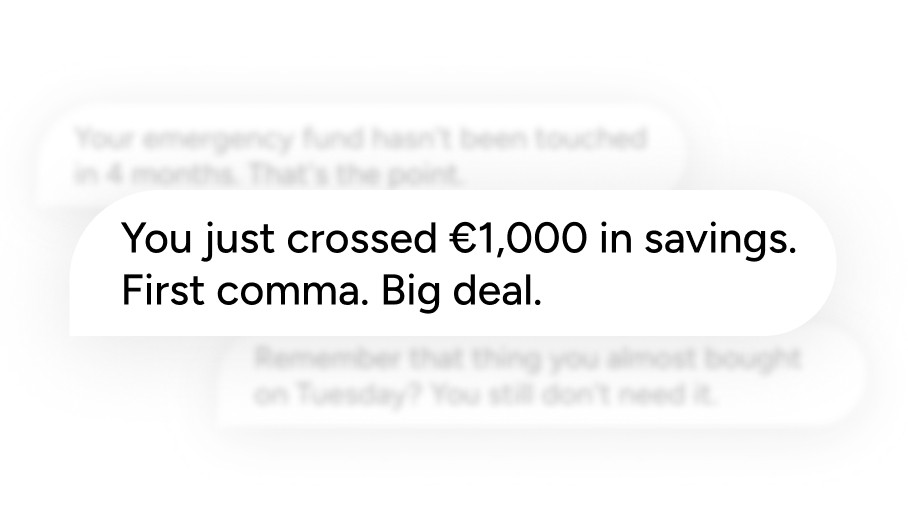
Penny on day one is helpful. Penny after three months is indispensable. She learns your rhythms — when you tend to overspend, which categories spike at which times, what your patterns look like across seasons. The longer you use Kinta, the more specific and useful her insights become. She doesn't give generic advice. She gives your advice.

Trusted by people who've tried everything else.

Rated by early adopters across Europe

5.0

I tried five finance apps before Kinta. This is the first one I didn't delete after a week. The Daily Pulse widget alone changed how I think about spending.

Marko T.

Freelancer, Belgrade

5.0

I tried five finance apps before Kinta. This is the first one I didn't delete after a week. The Daily Pulse widget alone changed how I think about spending.

Marko T.

Freelancer, Belgrade

5.0

The widget approach is genius. I only care about my restaurant budget and subscriptions — so that's all I see. No clutter, no noise.

a woman with a watch on her wrist

Elena S.

Product Manager, Vienna

5.0

I connected my bank, set up two widgets, and haven't opened the app settings since. It just works quietly in the background.

Author Image

Student, Ljubljana

Luka P.

5.0

I connected my bank, set up two widgets, and haven't opened the app settings since. It just works quietly in the background.

Author Image

Student, Ljubljana

Luka P.

5.0

Penny told me I was spending more on coffee than my gym membership. I didn't ask her to. That's the kind of honesty I needed.

woman smiling wearing denim jacket

Ana K.

Marketing Lead, Zagreb

5.0

I love that I can scan my receipts and they're saved as PDFs inside the app. I actually have financial records now. Wild.

Author Image

Jonas M.

Designer, Berlin

5.0

I love that I can scan my receipts and they're saved as PDFs inside the app. I actually have financial records now. Wild.

Author Image

Jonas M.

Designer, Berlin

5.0

We use the family sharing feature with my partner. Same finances, different widgets. It finally stopped the "where did the money go" arguments.

a woman sitting on a white chair next to a table

Sara D.

Entrepreneur, Novi Sad

Flexible pricing plans choose your best.

Flexible pricing plans choose your best.

Monthly

Yearly

2 MONTHS ON US

Free

Everything you need.

Nothing we charge.

€0

/monthly

All non-AI widgets — unlimited

Manual transaction entry

Full spending analytics

Multi-currency support

Category breakdowns

Penny AI assistant

Bank connection (autopilot)

AI-powered widgets

Family & friend sharing

Kinta Plus

Autopilot mode.

For your money.

€8,90

/monthly

Everything in Free, plus:

Penny AI — your financial assistant

Bank connection with auto-sync

AI-powered widgets unlocked

Share with partner, friend, or family

Daily AI briefings & proactive nudges

Priority live chat support

Monthly

Yearly

2 MONTHS ON US

Free

Everything you need.

Nothing we charge.

€0

/monthly

All non-AI widgets — unlimited

Manual transaction entry

Full spending analytics

Multi-currency support

Category breakdowns

Penny AI assistant

Bank connection (autopilot)

AI-powered widgets

Family & friend sharing

Kinta Plus

Autopilot mode.

For your money.

€8,90

/monthly

Everything in Free, plus:

Penny AI — your financial assistant

Bank connection with auto-sync

AI-powered widgets unlocked

Share with partner, friend, or family

Daily AI briefings & proactive nudges

Priority live chat support

Monthly

Yearly

2 MONTHS ON US

Free

Everything you need.

Nothing we charge.

€0

/monthly

All non-AI widgets — unlimited

Manual transaction entry

Full spending analytics

Multi-currency support

Category breakdowns

Penny AI assistant

Bank connection (autopilot)

AI-powered widgets

Family & friend sharing

Kinta Plus

Autopilot mode.

For your money.

€8,90

/monthly

Everything in Free, plus:

Penny AI — your financial assistant

Bank connection with auto-sync

AI-powered widgets unlocked

Share with partner, friend, or family

Daily AI briefings & proactive nudges

Priority live chat support

Common Questions

Common Questions

FAQs streamline the user experience.

FAQs streamline the user experience.

How do I connect my bank account?

Open Kinta, go to Settings, and tap "Connect Bank." We use regulated open banking APIs — your credentials never touch our servers. The whole process takes about 90 seconds.

Can I use Kinta outside of Europe?

How do I turn off Penny?

I found a bug. Where do I report it?

Can I suggest a new widget?

Cta Image
Cta Image

GET MORE DONE

Your money has a lot to say. Penny's ready to translate.

Download Kinta, turn on Penny, and have your first real conversation about your finances — in under two minutes.

Cta Image
Cta Image
Logo Image

Master your money. Your way.

Copyright: © 2026 Wolet d.o.o. All rights reserved.

Logo Image

Master your money. Your way.

Copyright: © 2026 Wolet d.o.o. All rights reserved.

Logo Image

Master your money. Your way.

Copyright: © 2026 Wolet d.o.o. All rights reserved.